AI logo animation: your logo, animated piece by piece.
Our new AI motion designer turns your logo into a professional animation in about 2 minutes, for your email signature, website, social posts and video. Here's the 47 second tour.
~2 min
To Animate
Free
Preview
3
Files: GIF, MP4, PNG
$9
To Download
Using ChatGPT or Claude? Take this article with you.
The short answer
Sigmail's AI logo animation turns your static logo into a short, professional animation in about 2 minutes. Enter your work email and it finds your logo, writes a motion brief for it and animates it piece by piece, with every part forming where it already sits. The preview is free. Download it as an animated GIF, an MP4 video and a still PNG for $9, or use the credits that come with a Sigmail plan.
Published 25 November 2026.
See it on real logos.
Here's what it made for a dozen well-known logos. Look at how each one arrives: the parts appear one after another, in their own places, then the logo holds still so you can read it.

Clay

Netflix

Airbnb

Linear

Allbirds

Dishoom

Five Guys

MasterClass

Intrepid Travel

Blue Bottle Coffee

OpenAI

Tesla


How AI logo animation works.
From your work email to a professional animated logo in three steps:
- 1
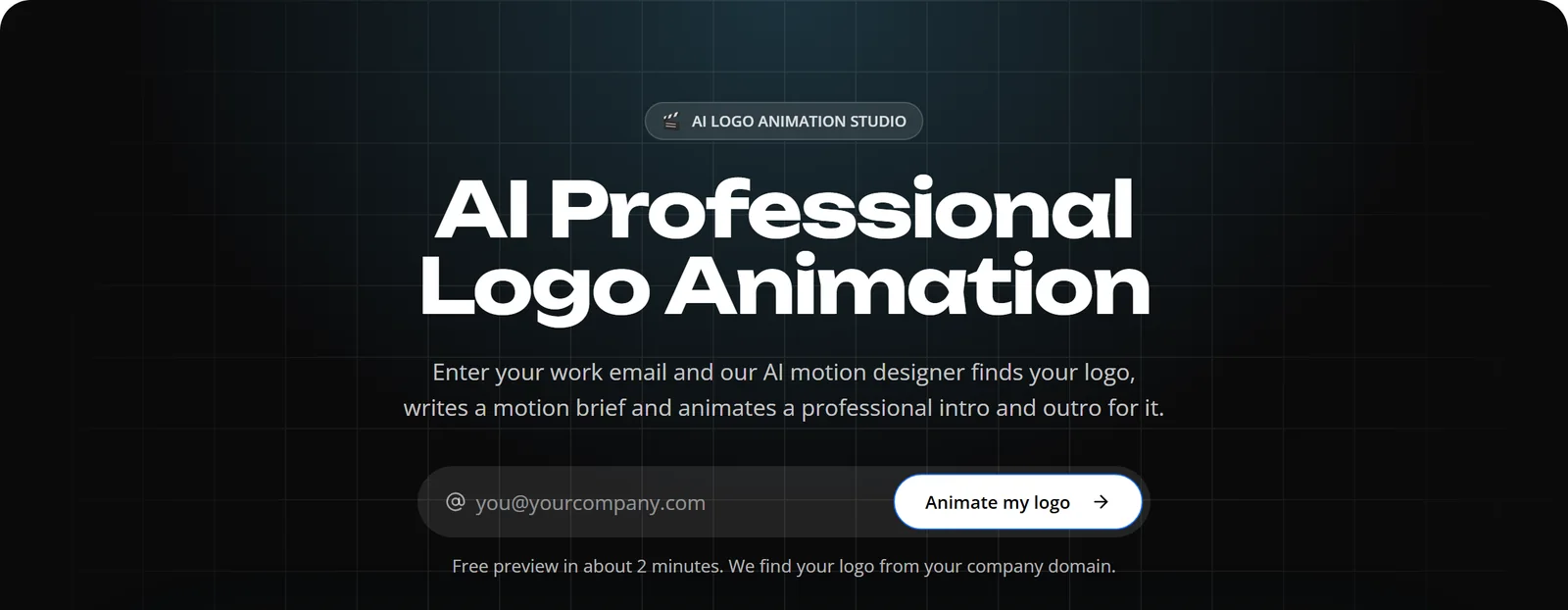
Enter your work email
We use your company domain to find your logo on your website. Nothing to upload, nothing to resize.
- 2
Our AI motion designer animates it
It studies your logo's shapes, writes a motion brief, and animates your logo piece by piece. About 2 minutes.
- 3
Watch it free, then download
Watch your animated logo for free. Love it? Download it as a GIF, an MP4 video and a still PNG.
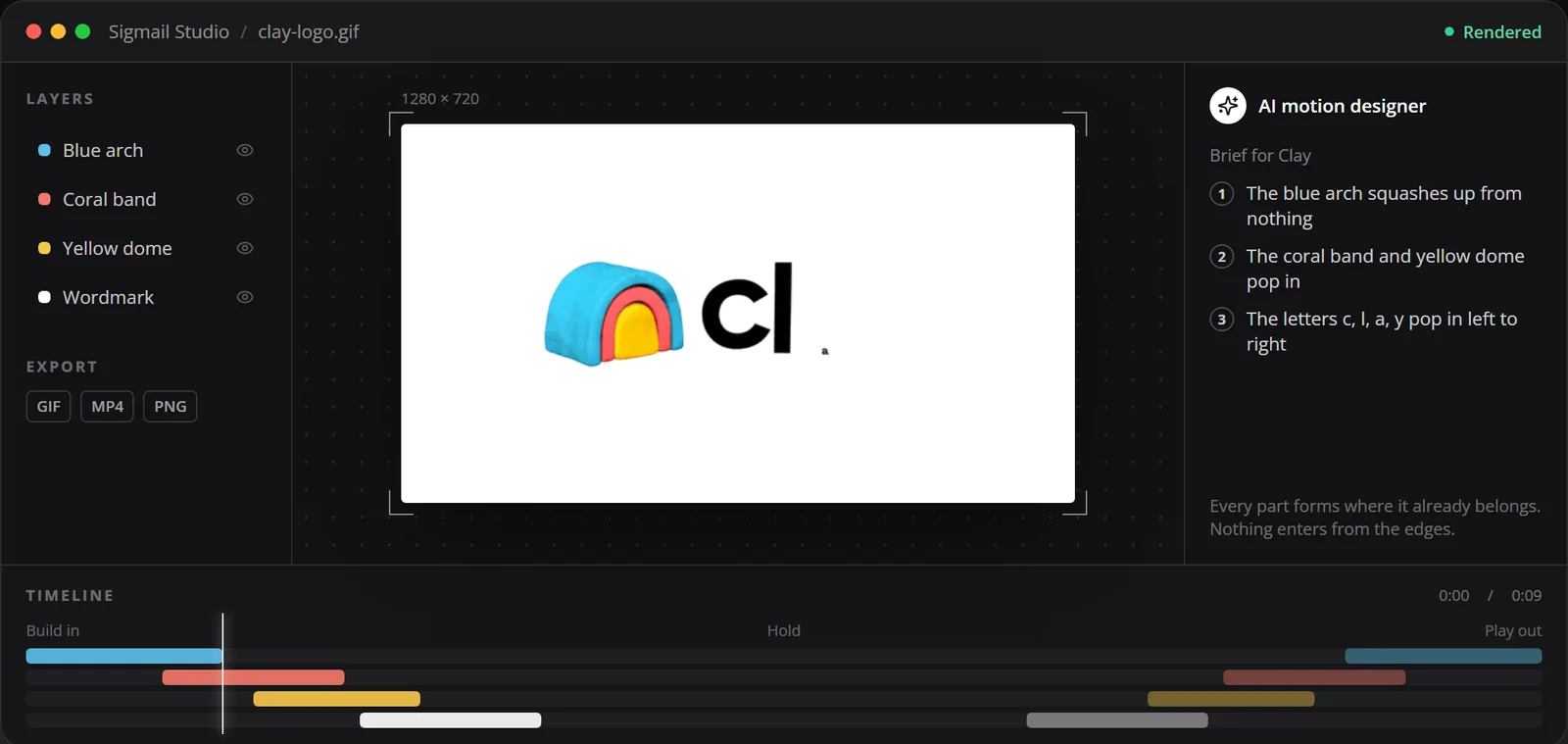
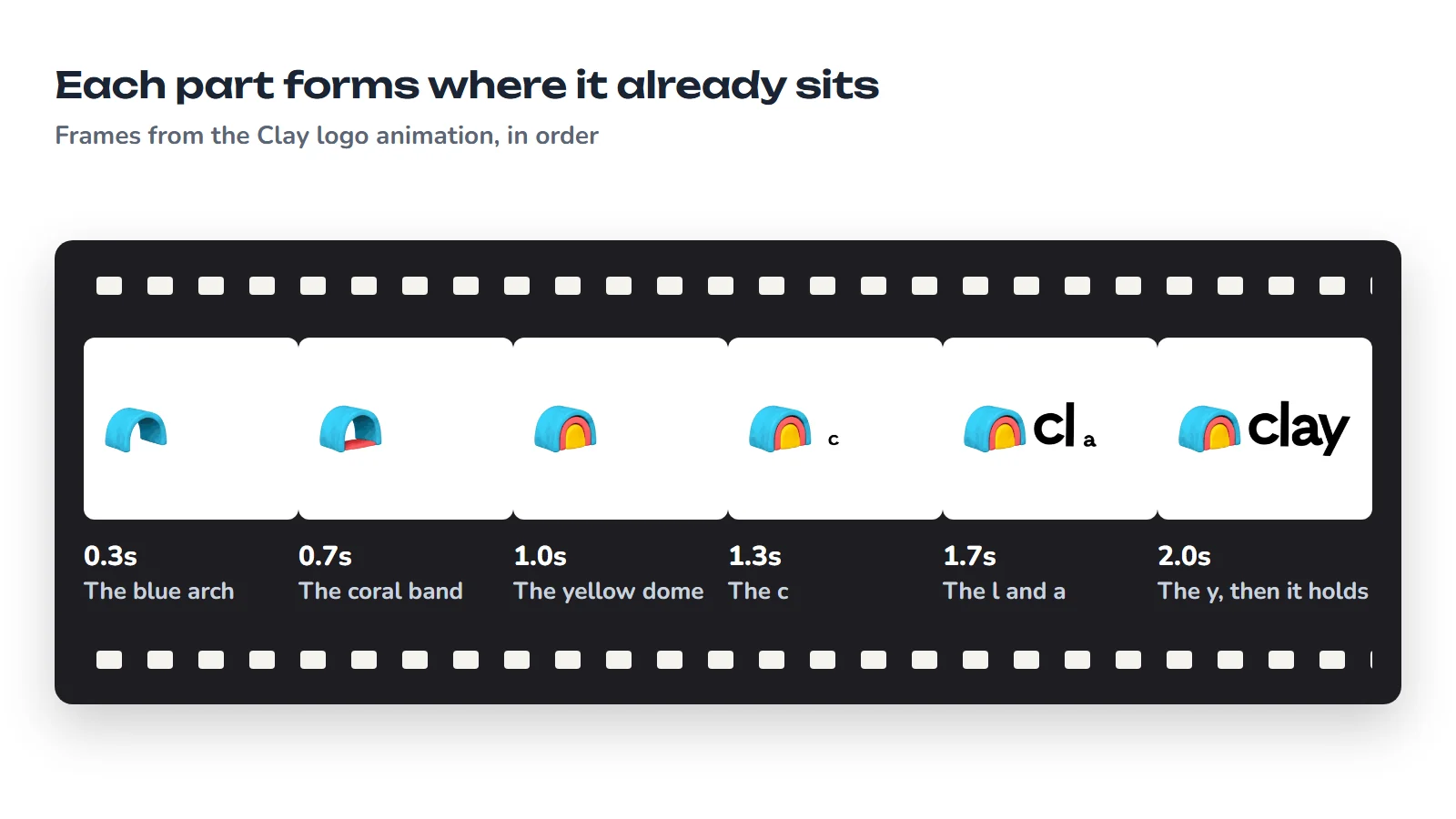
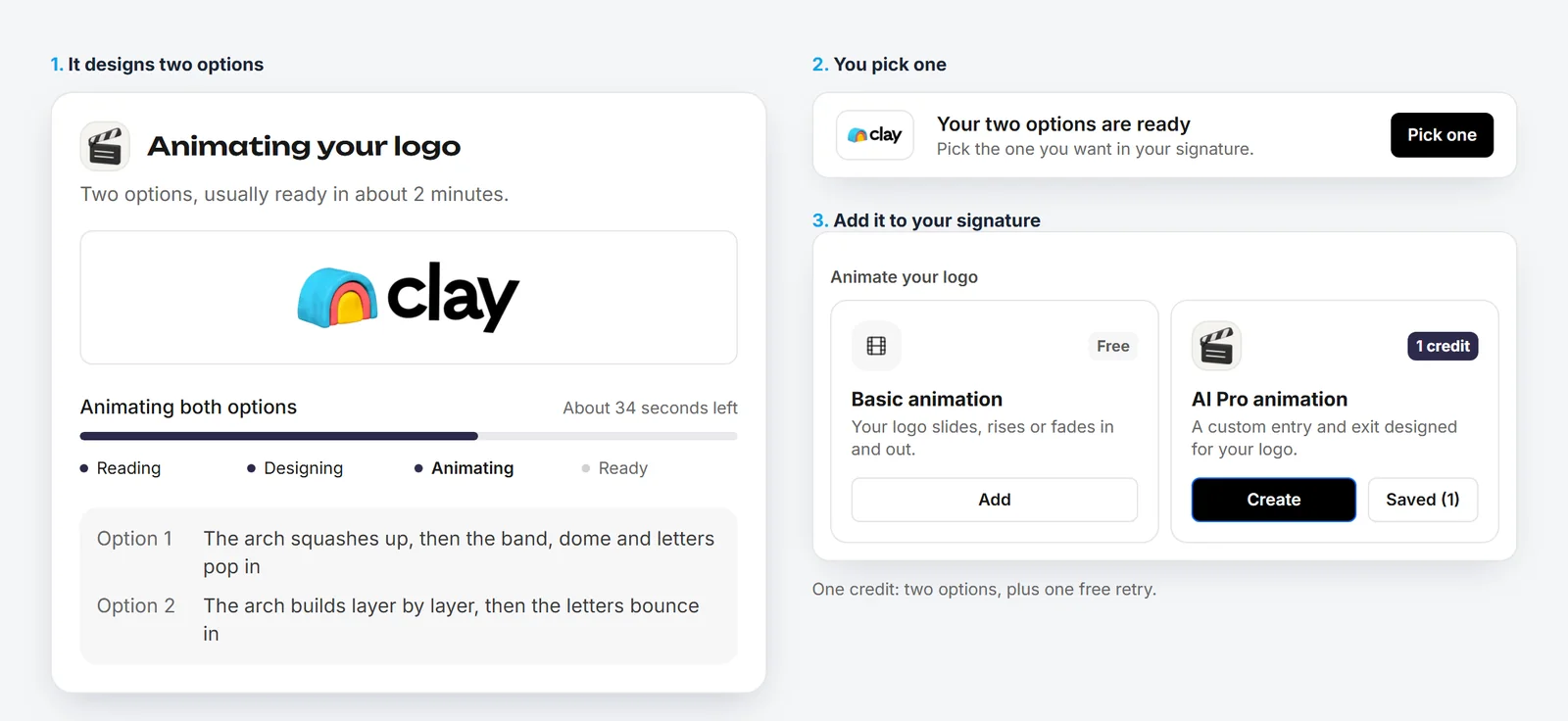
Then the AI motion designer gets to work. It names your logo's parts, like the Clay logo's blue arch, coral band, yellow dome and letters, and writes a short brief for how each one should form and in what order, the way a motion designer would plan it.
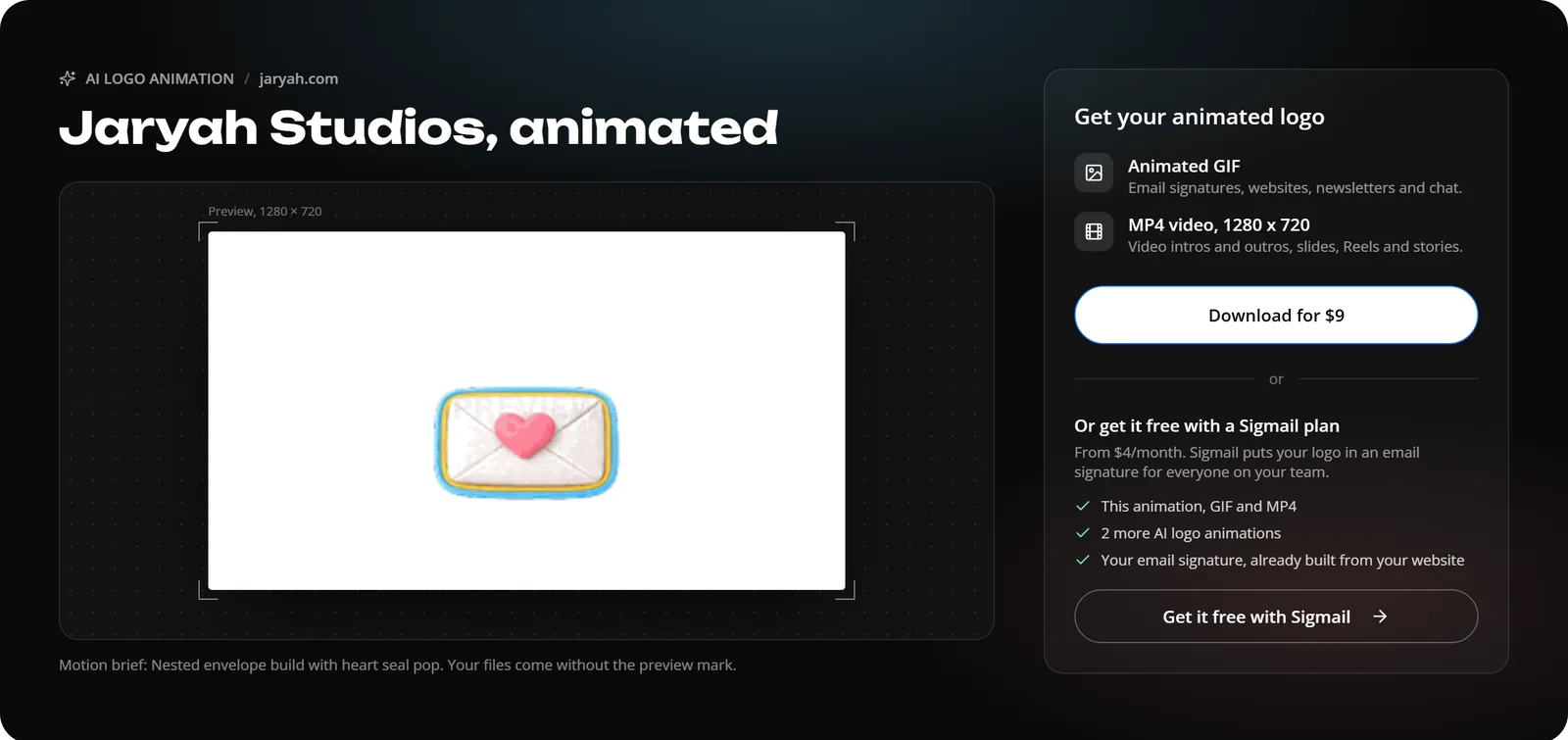
About 2 minutes later you're watching your animated logo. The preview is free and carries a faint preview mark; the files you download don't.
Every part builds in place.
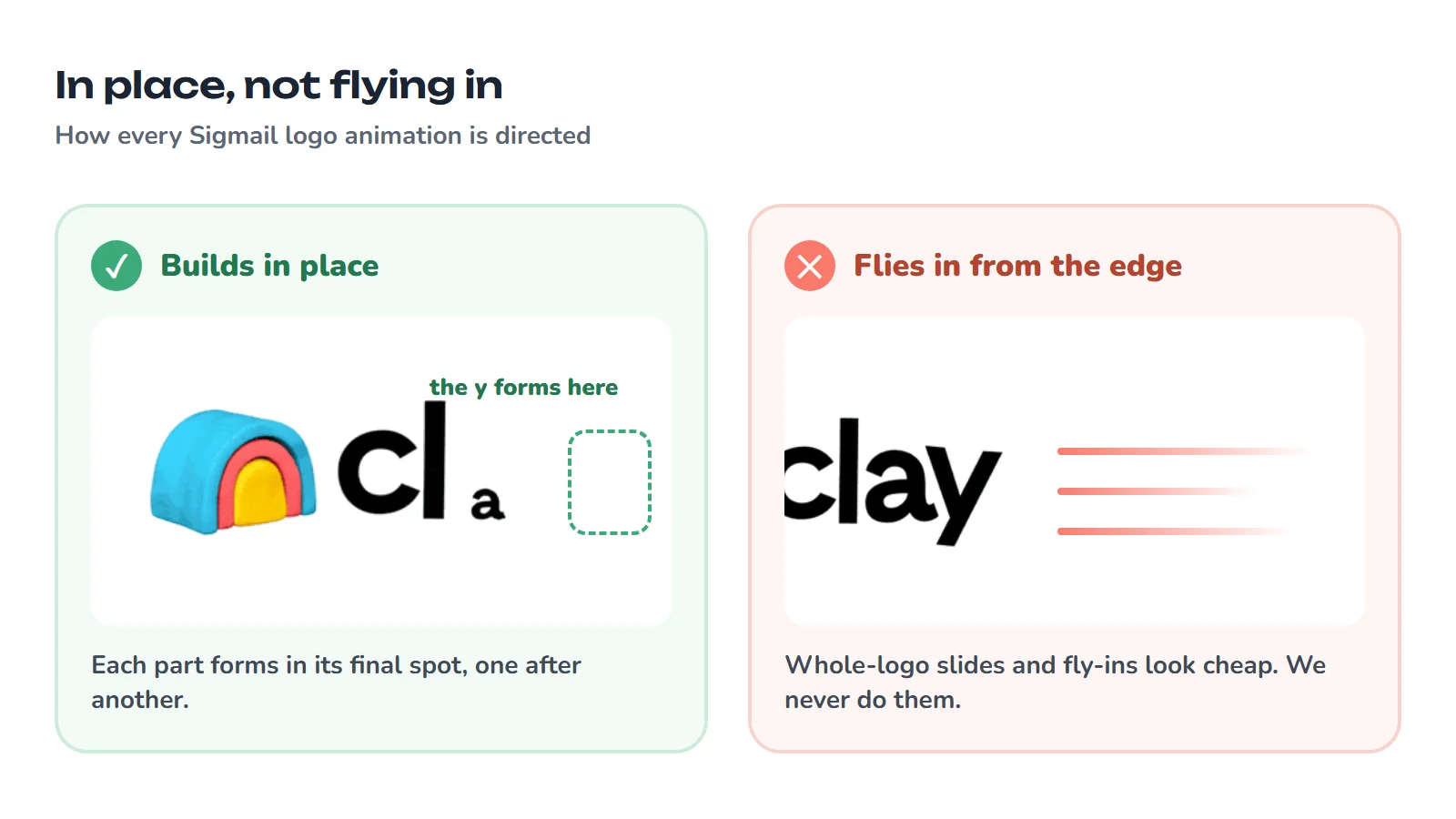
This is what makes it look designed. There are no templates or presets: the AI reads your logo's letters, icons and layers and animates each one in its own spot, one after another.
Nothing flies in from the edges and nothing slides across the frame. Whole-logo slides and fly-ins are what cheap logo animation looks like, so we don't do them.
Build in, hold, play out.
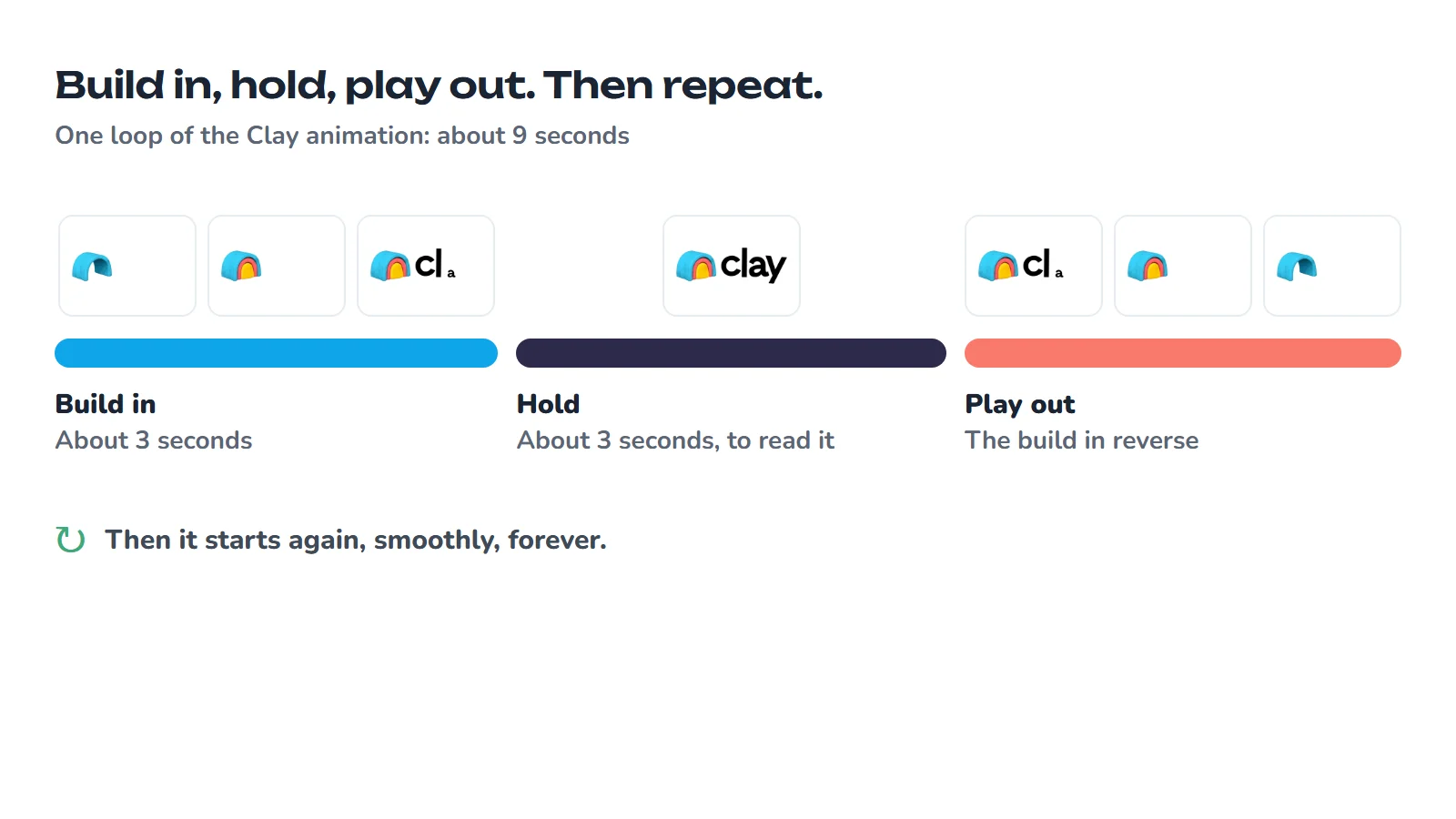
Your logo builds in, holds so people can read it, then plays back out, and repeats smoothly. For the Clay logo, one loop is about 9 seconds: roughly 3 to build, 3 to hold and 3 to play out.
GIF, MP4 and PNG.
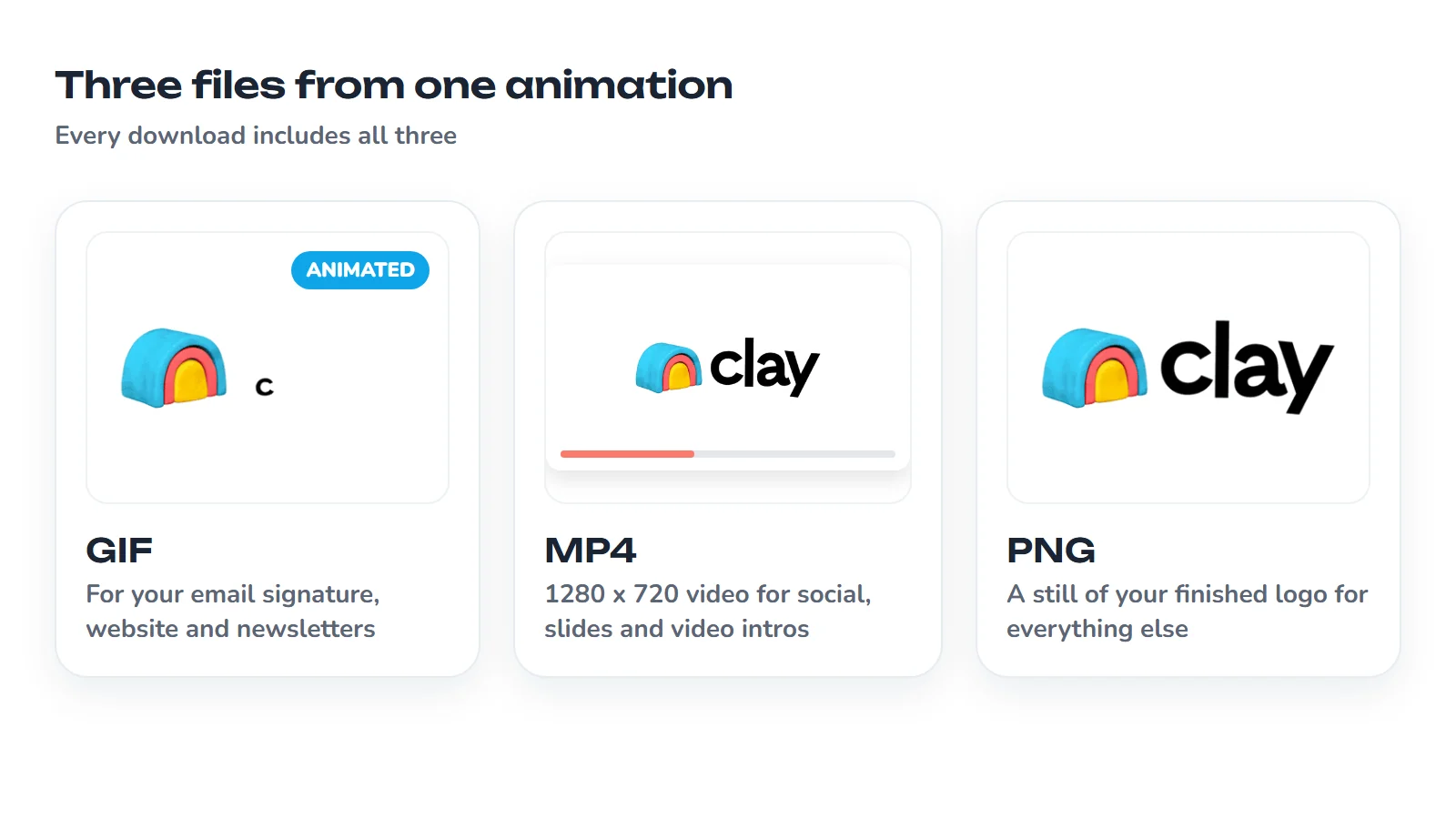
Every download comes as three files: an animated GIF for email and the web, an MP4 video for social posts, slides and video editing, and a still PNG of your finished logo for everything else. They're rendered in HD and sized for retina screens, so your logo stays crisp.
Where to use your animated logo.
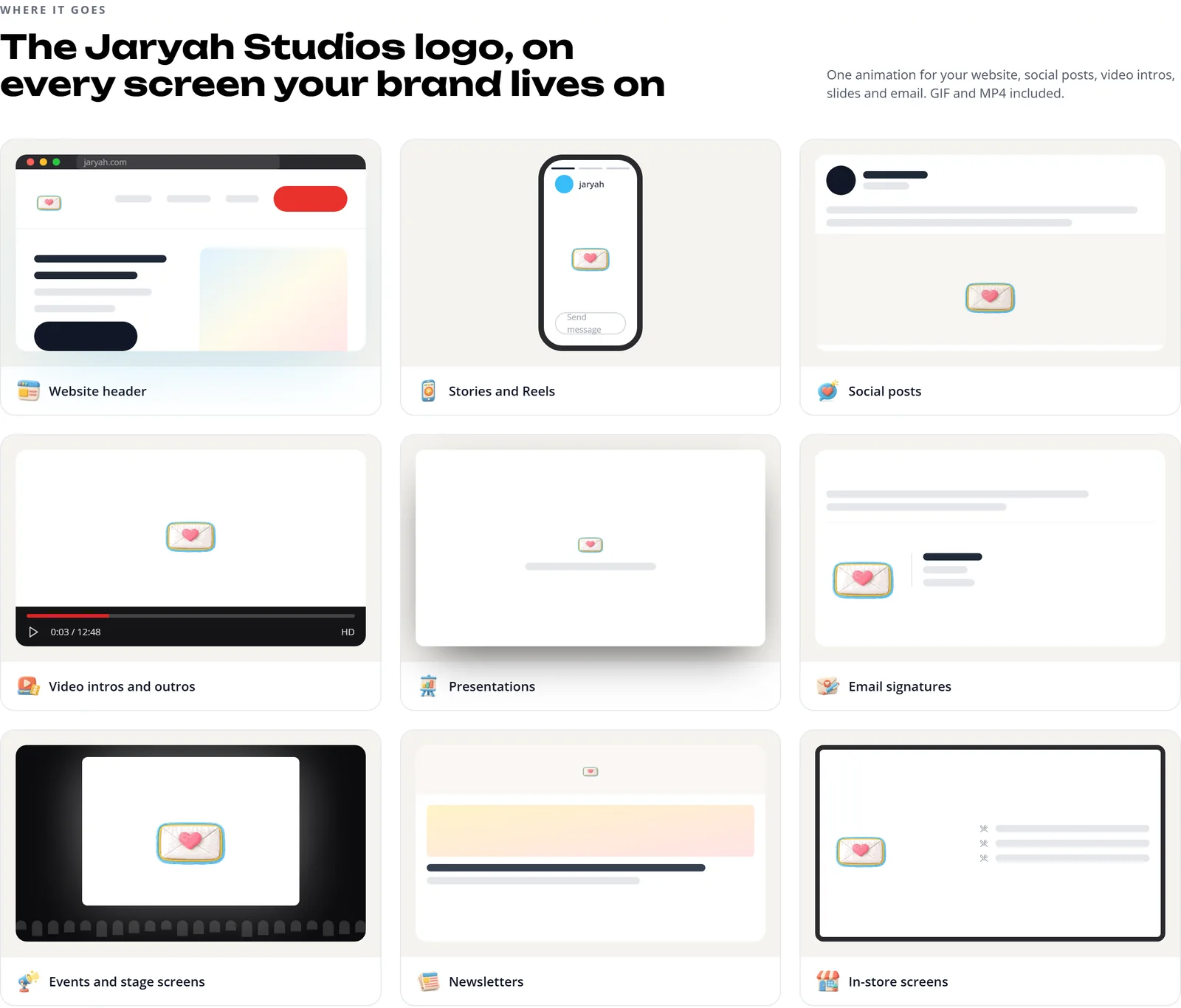
Anywhere your brand shows up: your website header, Stories and Reels, social posts, video intros and outros, presentations, email signatures, newsletters, event screens and in-store screens.
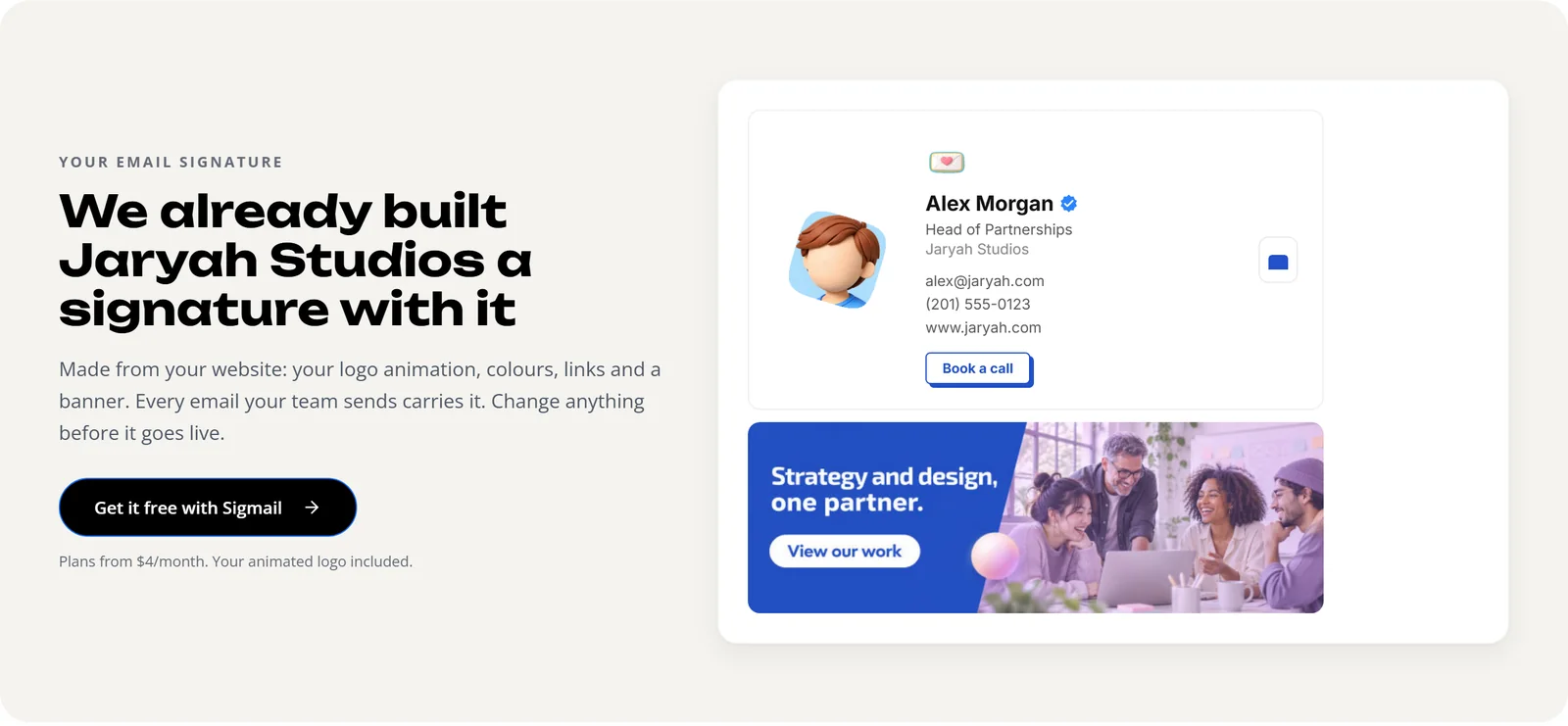
An animated logo in your email signature.
Your email signature is where an animated logo gets seen most: on every email your team sends. When you animate your logo, Sigmail also builds you an email signature with it, from your website: your logo animation, colours, links and a banner. Change anything before it goes live.
One thing to know: older desktop versions of Outlook for Windows (2007 to 2019) don't play animated GIFs, and Outlook for Microsoft 365 plays them a few times before stopping. Gmail, Apple Mail, Outlook on the web and phones play them as normal. Can I email keeps a client-by-client list. If most of the people you email use older Outlook, keep your still logo in your signature and use the animation everywhere else.
Already on Sigmail? Animate it from your dashboard.
Open the Animated logos tab and choose AI Pro animation. One credit gets you two different options designed for your logo, and you pick the one you like. Not keen on either? You get one free round of two new ones.
To use it, open any template, go to Logo and pick AI Pro animation. The free Basic animation, a simple slide, rise or fade, is still there too.
What AI logo animation costs.
The preview is always free. Pay to download, or get credits with a Sigmail plan. Plan credits are given once, when you first reach that plan, and extra credits are the same price on every plan.
AI logo animation pricing
Prices in US dollars. One credit is one animated logo.
Business Pro and Agency also let you serve your signature images and links from your own domain, so your animated logo loads from your brand's address. Compare plans.
AI logo animation FAQ.
What is AI logo animation?
AI logo animation turns your static logo into a short animated version. Sigmail's AI motion designer studies your logo, writes a motion brief for it and animates it piece by piece, so it looks designed for your brand rather than built from a template.
How long does it take?
About 2 minutes from entering your work email to watching your animated logo.
Can I see it before I pay?
Yes. The preview is free, with a faint preview mark. You only pay to download the files, and you see the price first.
What file formats do I get?
An animated GIF for your email signature, website and newsletters, a 1280 x 720 MP4 video for social posts, slides and video, and a still PNG of your finished logo.
Which logos work best?
Logos with a clear shape on a light background: wordmarks, icons, emblems and combinations of them. Every part of your logo is kept exactly as it is; only the way it arrives is animated.
Why do you ask for my work email?
Your company domain tells us which logo to animate, so there's nothing to upload. It also lets us send you your animation when it's ready.
Does it work in every email app?
The GIF plays in Gmail, Apple Mail, and Outlook on the web and on phones. Outlook for Microsoft 365 on Windows plays it a few times, then stops. Older desktop versions of Outlook for Windows (2007 to 2019) don't play animated GIFs. If most of the people you email use those, keep your still logo in your signature.
What's the difference between basic and AI Pro animation?
Basic animation is free in the signature builder: your logo slides, rises or fades in. AI Pro is a custom animation designed around your logo's own parts, with two options to pick from. It uses one credit.
Helpful resources.
- Animate your logoEnter your work email and watch your free preview in about 2 minutes.
- Email signature size cheat sheetLogo, photo, banner and GIF sizes, including how big an animated logo should be.
- AI email signature generatorType your website and get a finished signature built around your logo.
- Can I email: animated GIF supportWhich email apps play animated GIFs, client by client. (opens in a new tab)
- Litmus: animated GIFs in emailHow animated GIFs behave in email, including the older Outlook versions. (opens in a new tab)
See your logo come to life.
Enter your work email and watch your AI logo animation in about 2 minutes. The preview is free.
Ready to get started?
Watch your logo animated in about 2 minutes. The preview is free.