How we track email signature clicks and filter out bot clicks.
Most clicks on an email signature come from security scanners, not people. Here's how Sigmail tells them apart, and what the data looks like on a real campaign.
18%
Of Clicks Are People
5
Bot Checks
3s
Burst Window
0
IP Addresses Stored
Using ChatGPT or Claude? Take this article with you.
Why most email signature clicks aren't people.
Before an email reaches the inbox, the recipient's email security often opens every link in it to check it's safe. Microsoft Safe Links, Proofpoint, Mimecast, Barracuda and Google all do this. To a click tracker, each of those checks looks like a click.
So raw click counts on email signatures are mostly scanners. Across the 15 Sigmail accounts with the most clicks, only 18% of recorded clicks are people: 16,629 of 92,679. If your signature tracking doesn't filter them, it's counting machines.
Every click is kept and labelled.
Sigmail doesn't throw scanner clicks away. Every click is stored and labelled as a person or a bot, with the reason, and with the version of the rules that labelled it. That means when the rules improve, we can re-run them over the clicks already stored and re-label your history.
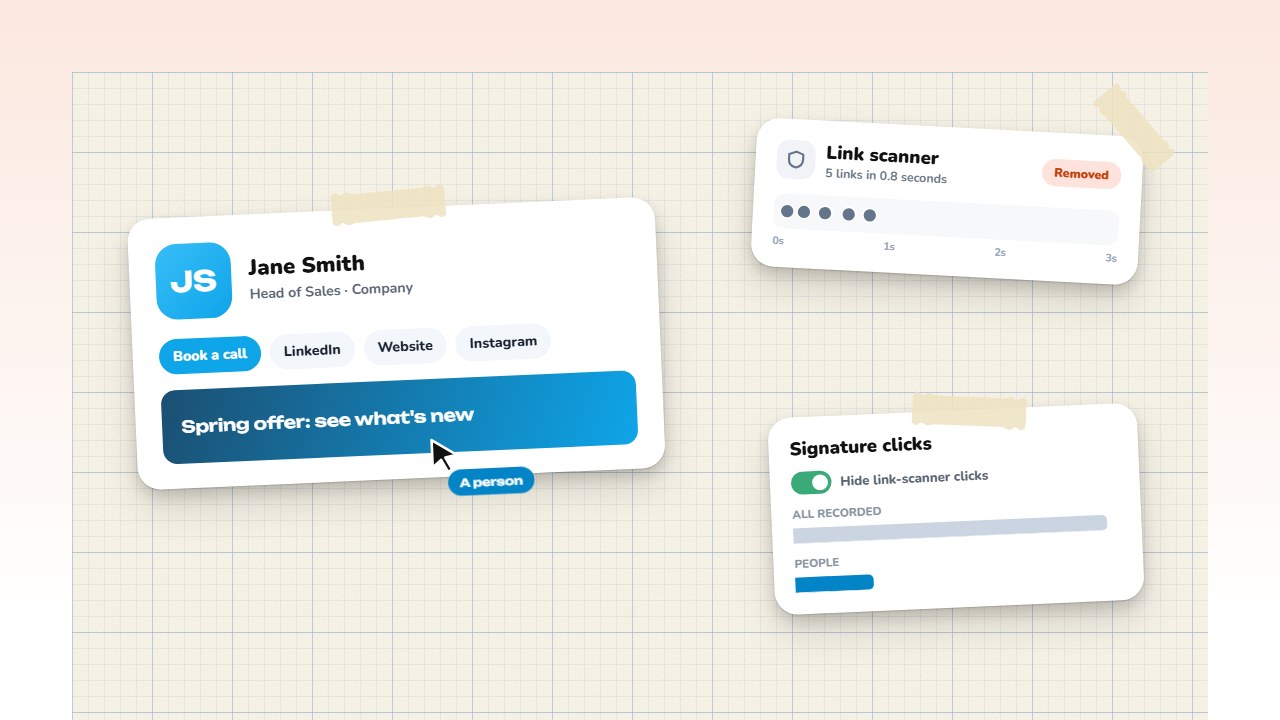
Your dashboard shows clicks from people by default. Switch off Hide link-scanner clicks to see every recorded click. IP addresses are never stored, only a hash of them.
The 5 checks every signature click goes through.
- 1
HEAD requests and missing user agents
A HEAD request checks a link without opening it, and every real browser sends a user agent. Scanners often do neither.
- 2
Bot and link preview user agents
Crawlers, scripts and link previews (Slack, WhatsApp, LinkedIn and similar) say what they are in their user agent, so we label them.
- 3
Mail security and cloud networks
Clicks from the networks of mail security vendors and cloud hosts, including Microsoft, Google, Proofpoint, Mimecast, Barracuda, AWS, DigitalOcean, Hetzner and OVH, are scanners, not your recipients.
- 4
Stale browsers and operating systems
Chrome older than version 100, Firefox older than version 90, and Windows 7 or older. These show up often in scanner traffic and rarely from people reading email today.
- 5
The burst rule
If 3 or more different links in one signature are clicked within 3 seconds from the same source, it's a scanner. No person opens every link in a signature that fast.
What a scanner burst looks like
An example of the pattern the burst rule catches, on a 3 second window
What the data looks like on a real campaign.
Here's one cold outbound campaign from our Nethook case study: 5,620 emails and 3,074 opens. The signature recorded 6,143 clicks. 1,005 of them, 16%, were people.
Where 6,143 signature clicks went
Nethook cold outbound campaign: 5,620 emails, 3,074 opens
- 1,005 (16%)
People - 4,192 (68%)
Burst rule (scanners) - 831 (14%)
Stale browser or OS - 115 (2%)
Bot or no user agent
Show as a table
| Label | Clicks | Share |
|---|---|---|
| People | 1,005 | 16% |
| Burst rule (scanners) | 4,192 | 68% |
| Stale browser or OS | 831 | 14% |
| Bot or no user agent | 115 | 2% |
The burst rule did most of the work. Of the 767 burst clusters it found, nearly all came from a single user agent, most hit every link within one second, and the typical cluster was 5 clicks: every link in the signature. That's the fingerprint of a scanner.
The scanner fingerprint
The burst clusters in the same campaign
767
Burst clusters found
96%
Came from a single user agent (736)
72%
Hit every link within 1 second (551)
5
Clicks in the median cluster: every link in the signature
Scanners also change which link looks like the winner.
Raw counts don't just inflate the total, they reorder the links. Counting everything, the CTA button looks like the clear winner with 2,045 clicks. Counting people, LinkedIn comes first with 317, and the banner moves up to third.
Clicks per link: all clicks versus people
Same campaign. Sorted by clicks from people.
Show as a table
| Link | All clicks | People |
|---|---|---|
| 1,412 | 317 | |
| CTA button | 2,045 | 234 |
| Banner | 679 | 172 |
| Website | 1,074 | 153 |
| 933 | 129 |
If you're deciding which link to keep, which banner to run or what to put in your call to action, that difference matters. You'd make the wrong call on the raw numbers.
How we keep improving click tracking.
Bot detection is never finished, so it's built to change. The rules are versioned, and because every click is kept with its labels, a better rule can be re-run over stored history instead of only applying to new clicks.
The parts we tune are the list of mail security and cloud networks, the stale browser thresholds and the burst window. One honest caveat: older clicks have no network data, so on those only the user agent and burst rules ran. Their people counts are a ceiling.
Email signature click tracking FAQ.
Why did my click count go down?
Your dashboard now counts people by default and hides link-scanner clicks. Switch off "Hide link-scanner clicks" to see every recorded click, scanners included.
Do you delete the bot clicks?
No. Every click is kept and labelled as a person or a bot, with the reason. That's what lets us re-run improved rules over your history.
Does Sigmail store IP addresses?
No. We only store a hash of the IP address, which is enough to spot a burst from one source without keeping the address itself.
Are older clicks filtered the same way?
Older clicks have no network data, so only the user agent and burst rules ran on them. Their people counts are an upper limit: the true number can only be lower.
Clicks you can trust are the point of tracking your email signature. Log in to see your people-only numbers, or read the full Nethook case study.
Ready to get started?
Create your first professional email signature in minutes. No credit card required.